Bank Reconciliation Example With a Free Excel Layout
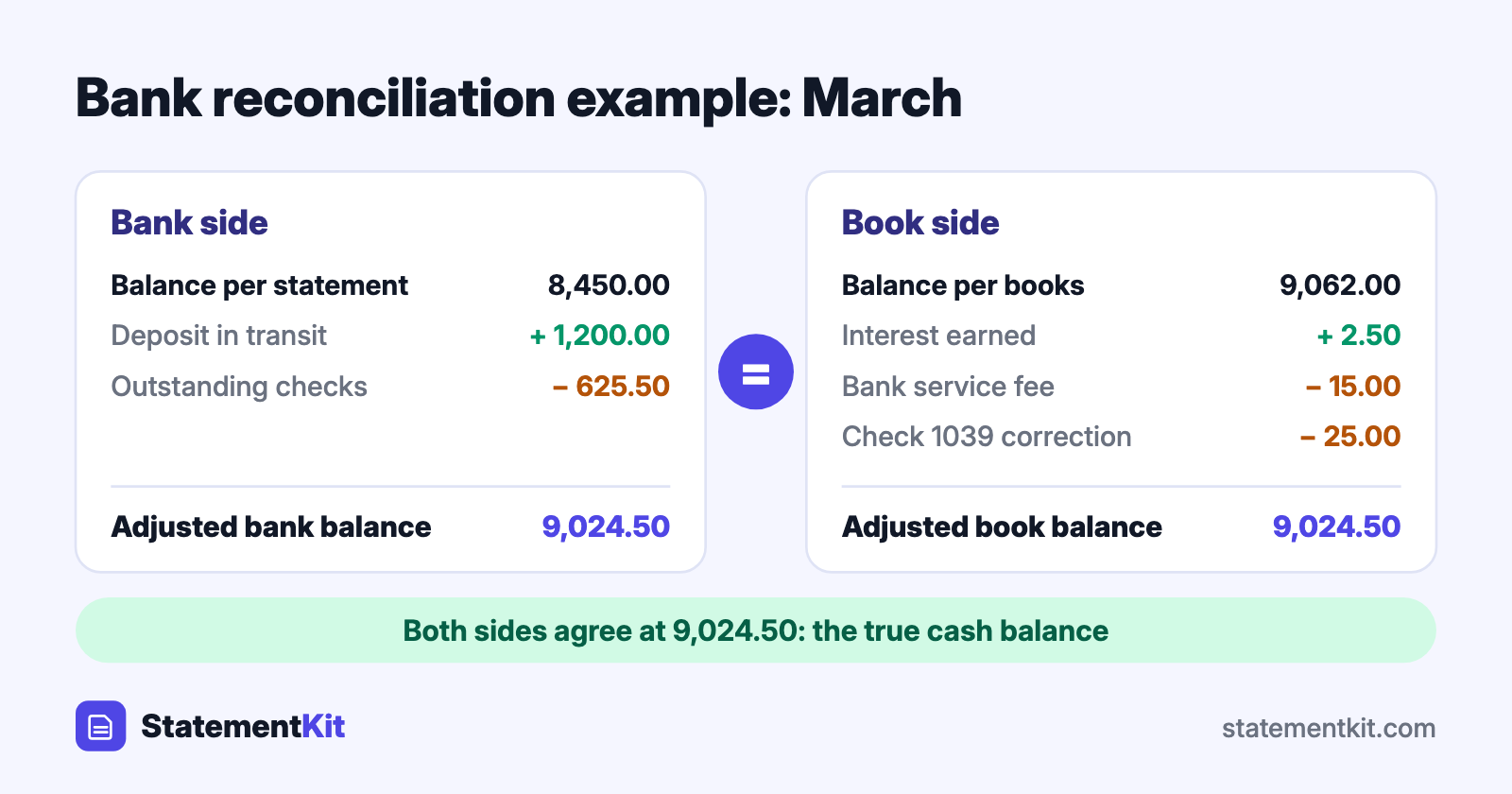
The clearest way to learn bank reconciliation is to follow one from start to finish. This example uses a small business checking account for March, shows every adjustment, lists the journal entries that follow, and ends with an Excel layout you can copy for your own accounts.
If you are new to the process, how to do a bank reconciliation explains the steps this example applies.
The situation
Riverside Design closes its books for March and finds two different balances:
- Bank statement ending balance, March 31: $8,450.00
- Cash balance in the books, March 31: $9,062.00
The gap is $612.00. Comparing the statement with the ledger line by line turns up five items:
- A $1,200.00 customer deposit made on March 31 appears in the books and reaches the bank on April 1.
- Check 1042 for $350.00 and check 1045 for $275.50 are recorded in the books and still uncashed.
- The bank charged a $15.00 monthly service fee that is missing from the books.
- The account earned $2.50 in interest that is missing from the books.
- Check 1039, written for office supplies, cleared the bank at $177.00. The books show it as $152.00.
The bank side
Start with the statement balance and adjust for items the bank has yet to process.
| Bank side | Amount |
|---|---|
| Balance per bank statement, March 31 | $8,450.00 |
| Add: deposit in transit | + $1,200.00 |
| Less: outstanding check 1042 | - $350.00 |
| Less: outstanding check 1045 | - $275.50 |
| Adjusted bank balance | $9,024.50 |
The book side
Then start with the book balance and adjust for items the books are missing.
| Book side | Amount |
|---|---|
| Balance per books, March 31 | $9,062.00 |
| Add: interest earned | + $2.50 |
| Less: bank service fee | - $15.00 |
| Less: correction for check 1039 ($177.00 - $152.00) | - $25.00 |
| Adjusted book balance | $9,024.50 |
Both sides arrive at $9,024.50, so the reconciliation is complete. That figure is the true cash balance at March 31, and it is the number that belongs on the balance sheet.
The journal entries
Bank-side adjustments clear on their own when the checks are cashed and the deposit posts. Book-side adjustments need entries, because they change the ledger.
| Entry | Debit | Credit |
|---|---|---|
| Bank service fee | Bank fees expense $15.00 | Cash $15.00 |
| Interest earned | Cash $2.50 | Interest income $2.50 |
| Correct check 1039 | Office supplies expense $25.00 | Cash $25.00 |
After these entries, the cash account in the books reads $9,024.50.
Bank reconciliation layout for Excel
Open a blank workbook and enter the labels in column A and the values in column B. The formulas are shown as text so you can copy them.
| Cell | Column A | Column B |
|---|---|---|
| 1 | Bank reconciliation: March 2026 | |
| 3 | Balance per bank statement | 8450.00 |
| 4 | Add: deposits in transit | 1200.00 |
| 5 | Less: outstanding checks | 625.50 |
| 6 | Adjusted bank balance | =B3+B4-B5 |
| 8 | Balance per books | 9062.00 |
| 9 | Add: interest and other credits | 2.50 |
| 10 | Less: fees and other debits | 15.00 |
| 11 | Less: error corrections | 25.00 |
| 12 | Adjusted book balance | =B8+B9-B10-B11 |
| 14 | Difference | =B6-B12 |
Cell B14 should show 0.00. Three additions make the sheet reusable:
- A detail tab for outstanding items. List each outstanding check and deposit in transit with its date, number, and amount, and point B4 and B5 at the totals with
=SUM(). Next month, delete the items that cleared and add the new ones. - A status flag. In B15, enter
=IF(ABS(B14)<0.005,"Reconciled","Check differences")for an at-a-glance result. - One tab per month. Duplicate the sheet at each month end, so every reconciliation is saved alongside its statement.
Matching transactions in Excel
The five reconciling items in this example came from comparing the statement with the ledger. With both in a workbook, Excel does the comparison:
- Paste the bank transactions into a sheet named
Bankand the ledger into a sheet namedLedger, with amounts in column C on both. - In
Bank!D2, enter=COUNTIFS(Ledger!C:C, C2)and fill down. - In
Ledger!D2, enter=COUNTIFS(Bank!C:C, C2)and fill down. - Filter column D for 0 on each sheet.
On the Bank sheet, the zeros are the $15.00 fee, the $2.50 interest, and the $177.00 check. On the Ledger sheet, the zeros are the $1,200.00 deposit, the two outstanding checks, and the $152.00 entry. Those are exactly the reconciling items.
Banks that provide CSV downloads make step 1 a copy and paste. When the statement is a PDF, StatementKit converts it into Excel rows with date, description, and amount columns.
Four more situations you will meet
| Situation | Side adjusted | Treatment |
|---|---|---|
| A customer’s check is returned for non-sufficient funds | Books | Subtract the amount and reopen the customer’s invoice |
| The bank collects a payment on your behalf | Books | Add the amount received |
| The bank posts another customer’s transaction to your account | Bank | Add or subtract it, and ask the bank to correct it |
| A deposit was entered twice in the books | Books | Subtract the duplicate |
Frequently Asked Questions
What does a bank reconciliation statement include?
The statement balance, the list of deposits in transit and outstanding checks, the adjusted bank balance, the book balance, the book-side adjustments, and the adjusted book balance. A preparer’s name and date complete the record.
Why is the adjusted balance different from both starting balances?
Each starting balance is missing something. The bank lacks the late deposit and the uncashed checks, and the books lack the fee, the interest, and the correction. The adjusted balance includes everything.
Do outstanding checks need a journal entry?
They are already in the books from the day they were written, so the ledger is correct as it stands. They stay on the outstanding list until the bank clears them.
How do I reconcile a credit card statement?
The same layout applies with the signs reversed: the statement shows what you owe. Match charges and payments, list charges that posted after the closing date, and record interest and fees from the statement.
Get your statement into Excel first
StatementKit converts a bank statement PDF into an Excel or CSV file with one transaction per row, ready to paste into a reconciliation sheet. The free plan covers 3 statements a month.
Convert Your First Statement Free