How to Do a Bank Reconciliation in 6 Steps
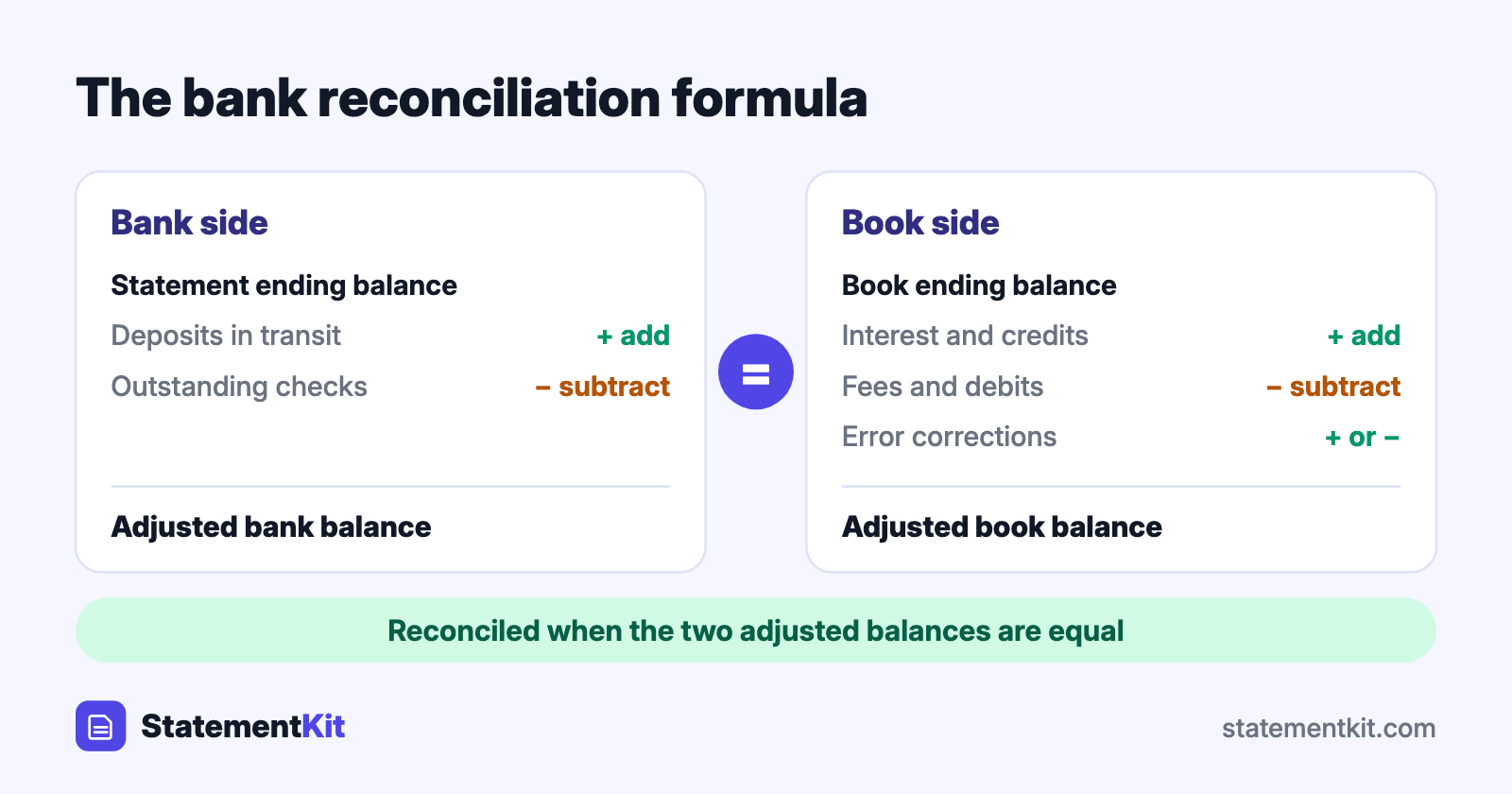
A bank reconciliation compares two records of the same account: the bank statement and your own books. The goal is to explain every difference between the bank’s ending balance and yours until the two adjusted balances are equal. When they are, you know every transaction has been recorded once, at the right amount.
Businesses reconcile every month for each bank and credit card account. The same process works for a personal budget.
Why the two balances differ
The bank and your books record the same money at different moments. Most differences fall into two groups.
Items in your books that the bank has yet to process:
- Outstanding checks. Checks you wrote and recorded that the recipient has yet to cash.
- Deposits in transit. Deposits you recorded that reached the bank after the statement closed.
Items on the statement that are missing from your books:
- Bank fees. Monthly service charges, wire fees, and overdraft fees.
- Interest earned.
- Automatic payments and direct deposits you have yet to enter.
- Returned (NSF) checks. A customer’s check that bounced.
A third group is errors: a transposed amount such as 152 entered for 125, a transaction entered twice, or, rarely, a mistake by the bank.
The bank reconciliation formula
A reconciliation adjusts each side for the items it is missing:
- Adjusted bank balance = statement ending balance + deposits in transit - outstanding checks
- Adjusted book balance = book ending balance + interest and other credits - fees and other debits, plus or minus error corrections
The reconciliation is complete when the adjusted bank balance equals the adjusted book balance.
What you need
- The bank statement for the period. Download it as a PDF, or as CSV if the bank offers it.
- Your cash record for the same period: the bank account ledger in your accounting software, a spreadsheet, or a check register.
- Last period’s reconciliation, which lists the checks and deposits that were still outstanding.
How to reconcile a bank statement in 6 steps
Step 1: Confirm the starting point
The statement’s beginning balance should equal the ending balance of your last reconciliation. If it differs, a previously reconciled transaction was changed or deleted, and that needs fixing first.
Step 2: Match the deposits
Tick off each deposit on the statement against your books. Deposits in your books that are absent from the statement are deposits in transit. List them.
Step 3: Match the withdrawals
Tick off each check, card payment, and transfer. Checks in your books that are absent from the statement are outstanding checks. List them with their numbers and amounts. Include items carried over from last period that are still uncleared.
Step 4: Record what the statement shows and your books lack
Every statement line left without a tick needs an entry in your books: fees, interest, automatic payments, direct deposits, and returned checks.
Step 5: Calculate both adjusted balances
Apply the formula. Add deposits in transit to the statement balance and subtract outstanding checks. Then update the book balance with the entries from step 4.
Step 6: Investigate any remaining difference
When the adjusted balances are equal, save the reconciliation with the statement. When they differ, the size of the difference is a clue:
| Clue | Likely cause |
|---|---|
| The difference matches a single transaction amount | That transaction is missing from one side |
| The difference divides evenly by 9 | Two digits were transposed, such as 540 entered as 450 |
| The difference is twice a transaction amount | A deposit was entered as a withdrawal, or the reverse |
| The difference is a round number | An arithmetic slip or a missed transfer |
Reconciling in Excel
A spreadsheet handles reconciliation well when both records are in rows.
- Put the bank transactions on one sheet and your ledger on another, each with date, description, and amount columns.
- On the bank sheet, add a column with
=COUNTIFS(Ledger!C:C, C2). A result of 0 flags an amount with no partner in the ledger. - Add the same check on the ledger sheet, pointing at the bank sheet.
- Filter each sheet for zeros. The bank-side zeros are entries to record, and the ledger-side zeros are outstanding items.
If the bank provides PDF statements only, StatementKit converts the statement into Excel rows so step 1 takes a minute. A complete worked layout with formulas is in the bank reconciliation example.
Reconciling in accounting software
QuickBooks, Xero, and similar tools have a reconcile screen: you enter the statement’s ending balance and date, tick the cleared transactions, and the software shows the difference as you go. The logic is identical to the manual method. The Xero reconciliation guide shows the software version of these steps.
How often to reconcile
Monthly is the standard, timed to the arrival of each statement. Businesses with many transactions reconcile weekly or daily using bank feeds. Frequent reconciliation keeps each session short and brings errors and unauthorised transactions to light while they are still easy to resolve.
Frequently Asked Questions
What is the purpose of a bank reconciliation?
It confirms that your cash balance is accurate, catches bank and bookkeeping errors, reveals unauthorised transactions, and gives you a reliable figure for cash flow decisions and tax filings.
Who should prepare the bank reconciliation?
In a business, a sound control is to have someone who neither handles cash nor signs checks prepare it, with an owner or manager reviewing the result. Sole proprietors do it themselves or hand it to a bookkeeper.
How long does a reconciliation take?
A small account with under a hundred transactions takes 15 to 30 minutes once the data is in a spreadsheet or accounting software. Most of the time goes to tracing differences, which shrink when you reconcile every month.
What happens to outstanding checks that never clear?
Carry them forward each month. After several months, contact the payee. Checks generally go stale after six months, and long-unclaimed amounts may fall under your state’s unclaimed property rules.
Reconciling from PDF statements?
StatementKit converts a bank statement PDF into a CSV or Excel file, so you can sort, match, and tick off transactions in a spreadsheet. The free plan covers 3 statements a month.
Convert Your First Statement Free