What Is a QFX File and How Do You Open It?
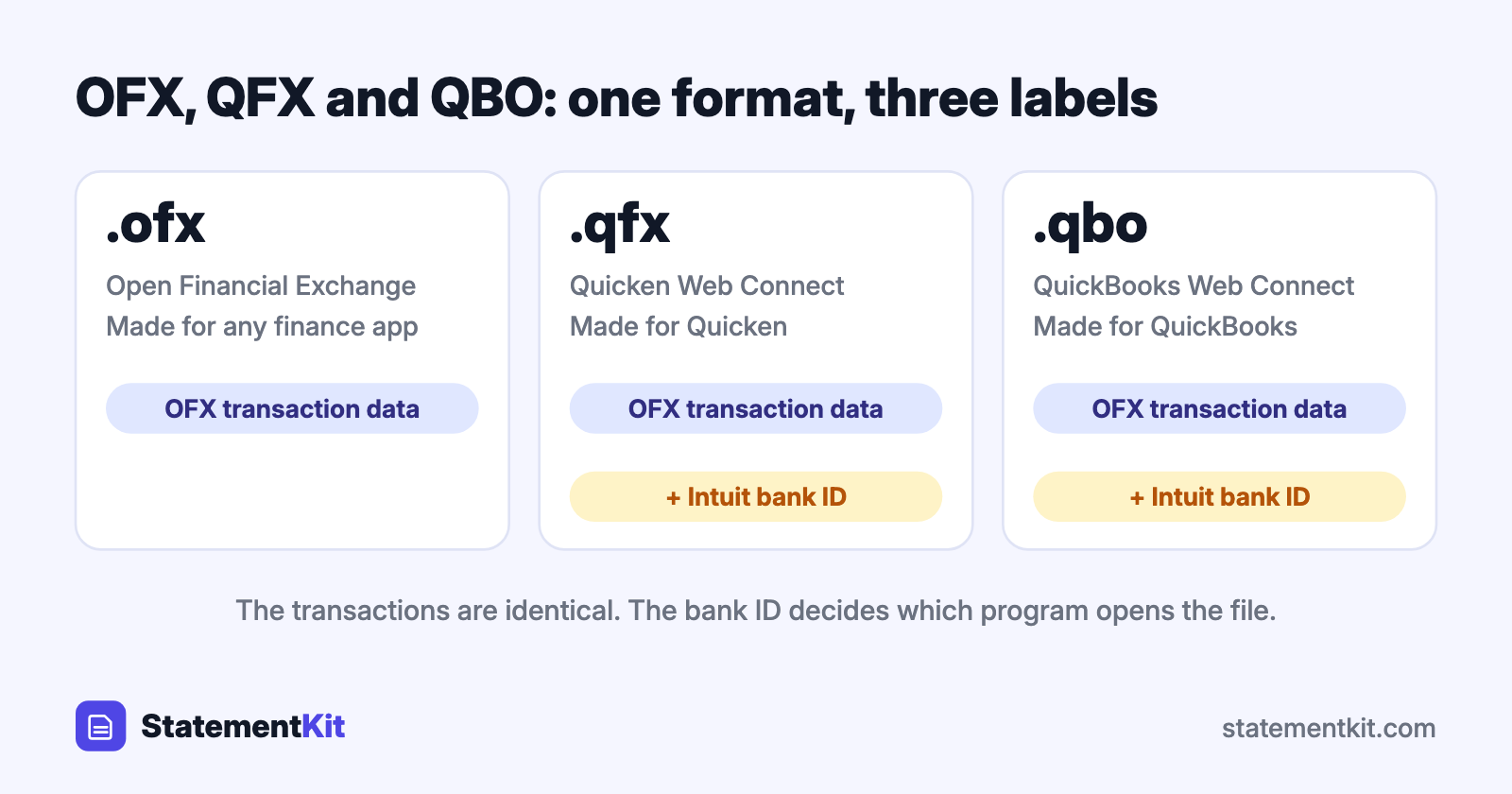
A QFX file is a bank or credit card download made for Quicken. The letters stand for Quicken Financial Exchange, and Quicken calls the feature Web Connect. Inside, a QFX file is an OFX file with one addition: an Intuit bank ID that tells Quicken which financial institution produced it.
You will meet QFX when your bank’s download menu lists "Quicken" as a format, or when someone sends you transactions exported from Quicken-compatible software.
What a QFX file contains
A QFX file is plain text. It lists your account number, the date range, the closing balance, and one block per transaction with the date, amount, payee, and a unique transaction ID. The part that makes it QFX is a line near the top of the file:
<FI>
<ORG>Example Bank
<FID>12345
</FI>
<INTU.BID>12345
INTU.BID is the Intuit bank ID. Quicken compares it with its list of participating institutions before it imports the file. Banks pay Intuit to be on that list, which is the reason a QFX from a supported bank imports in one click and a renamed OFX file from an unsupported bank is refused.
How to open a QFX file in Quicken
- Download the file from your bank and note where it is saved.
- In Quicken for Windows, choose File > File Import > Web Connect (.QFX) File. In Quicken for Mac, choose File > Import > Bank or Brokerage File (OFX, QFX).
- Select the file.
- Link the download to an existing account or create a new one.
- Review the transactions in the register and accept them.
Double-clicking the file also works on most computers, because Quicken registers itself as the default program for .qfx.
How to open a QFX file without Quicken
You have three routes, depending on what you want to do with the data.
Open it as a spreadsheet
Convert the QFX file to CSV and open the CSV in Excel, Numbers, or Google Sheets. The OFX to CSV converter reads QFX files in your browser, keeps the file on your computer, and returns columns for date, description, amount, type, and transaction ID.
Import it into other accounting software
Many programs read QFX as OFX. GnuCash, Moneydance, and Banktivity import it directly. QuickBooks Online lists QFX among the file types on its bank upload screen. Xero and Wave accept OFX, and a QFX file usually imports once you choose it in the file picker.
Read it in a text editor
Right-click the file, choose "Open with", and pick Notepad or TextEdit. This is useful for checking the account number, date range, or bank ID.
How to convert a QFX file to PDF
QFX is data, and PDF is a page layout, so the conversion goes through a spreadsheet:
- Convert the QFX file to CSV.
- Open the CSV in Excel or Google Sheets and adjust the column widths.
- Choose File > Print and save as PDF, or use File > Download > PDF in Google Sheets.
The result is a readable transaction list. For proof of income, a loan application, or a tax record, download the official PDF statement from your bank, because that is the document reviewers expect.
QFX, OFX, and QBO side by side
| OFX | QFX | QBO | |
|---|---|---|---|
| Made for | Any finance software | Quicken | QuickBooks |
| Extension | .ofx | .qfx | .qbo |
| Intuit bank ID | Optional | Required by Quicken | Required by QuickBooks Desktop |
| Transaction format | OFX | OFX | OFX |
All three carry the same transaction data. The practical difference is which program is willing to open the file. What is a QBO file covers the QuickBooks variant.
How to create a QFX file
Your bank is the first place to look: choose "Quicken" or "Web Connect" on the download screen. When the bank offers CSV only, the CSV to OFX converter has a QFX download option that adds the Quicken identifier. When all you have is a PDF statement, extract it to CSV with StatementKit first.
Frequently Asked Questions
Why does Quicken say it cannot verify the financial institution?
Quicken looked up the INTU.BID in the file and found a bank outside its Web Connect list, or a file with the ID missing. Download the file again using the bank’s Quicken option. If the bank has left the Web Connect program, import a CSV or QIF file through Quicken’s file import menu.
Can Excel open a QFX file directly?
Excel will show the raw tags in a single column, which is hard to work with. Converting to CSV first gives you one transaction per row.
Is a QFX file the same as a QIF file?
They are different formats. QIF is Quicken’s older text format from the 1990s, with one field per line and no transaction IDs. QFX replaced it for bank downloads and adds duplicate protection.
How long does a bank keep QFX downloads available?
Most banks let you download 90 days to 24 months of activity in QFX. Older periods are usually available as PDF statements only, which you can convert to CSV when you need the data.
Need a QFX file as a spreadsheet?
The free OFX to CSV converter opens QFX files in your browser and keeps the file on your computer. Download a CSV and open it in Excel.
Convert QFX to CSV