What Is a QBO File? How to Open and Import One
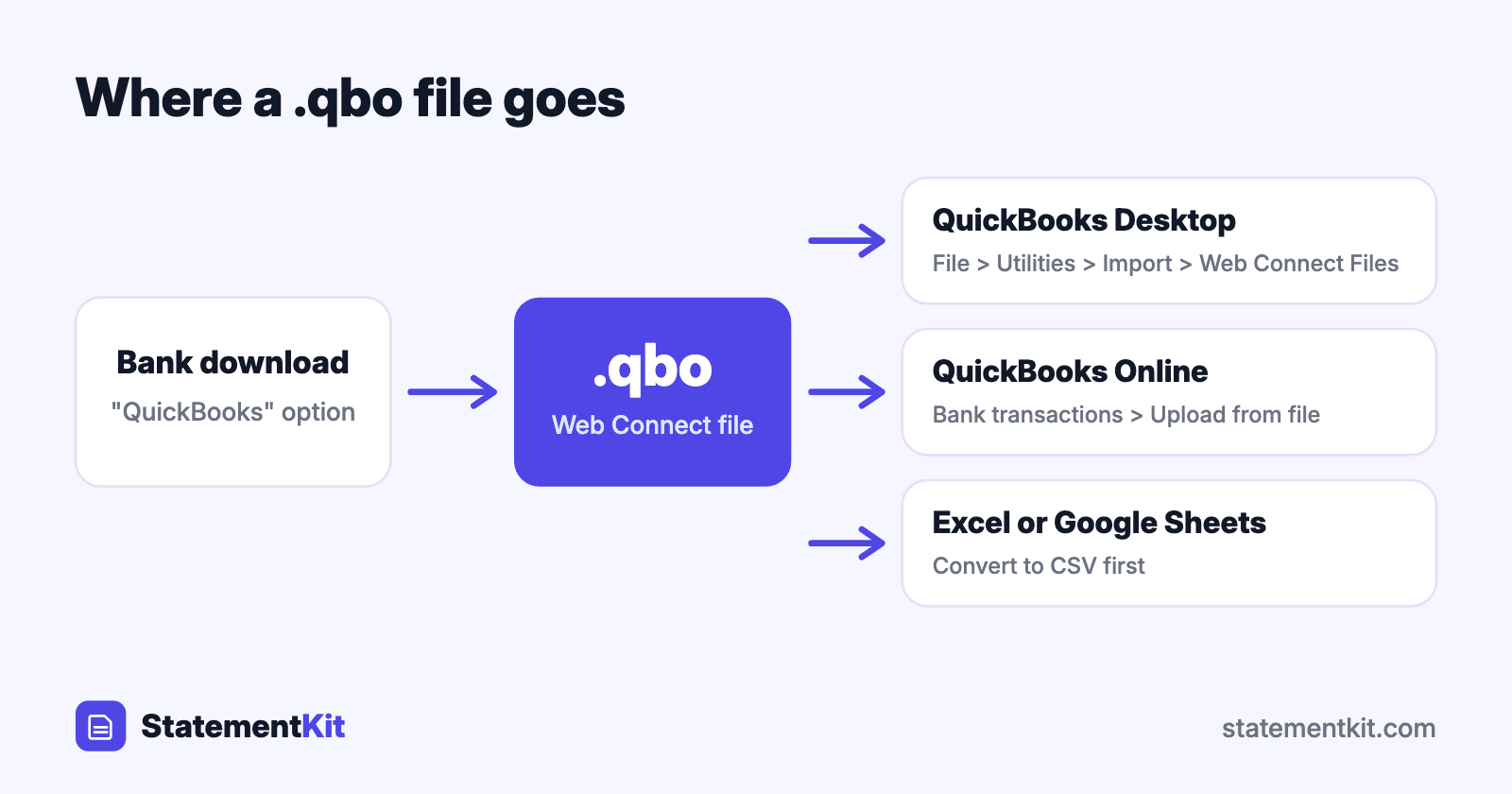
A QBO file is a bank statement download made for QuickBooks. The extension is .qbo, QuickBooks calls it a Web Connect file, and it carries your account details and a list of transactions that QuickBooks imports into its bank feed.
The name causes some confusion. "QBO" is also the common abbreviation for QuickBooks Online, the web product. A .qbo file is a transaction download, and it works with both QuickBooks Desktop and QuickBooks Online. Your company data lives elsewhere: in a .qbw file for QuickBooks Desktop, and on Intuit’s servers for QuickBooks Online.
What a QBO file contains
A QBO file is plain text in the OFX format, with an Intuit bank ID added. Open one in a text editor and you will find:
- A header that states the OFX version.
- The bank name, the bank’s ID, and an
INTU.BIDline that identifies the bank to QuickBooks. - Your routing number, account number, and account type.
- One
STMTTRNblock per transaction with the type, posting date, amount, payee name, memo, and a unique ID calledFITID. - The closing balance and its date.
QuickBooks uses the FITID to recognise transactions it has already imported, so downloading overlapping periods leaves your register free of duplicates.
How to import a QBO file into QuickBooks Desktop
- Download the file from your bank. Look for "QuickBooks" or "Web Connect" in the download options.
- In QuickBooks Desktop, choose File > Utilities > Import > Web Connect Files.
- Select the
.qbofile. - Choose Use an existing QuickBooks account and pick the bank account, or create a new one.
- Open Banking > Bank Feeds > Bank Feeds Center to review, match, and add the transactions.
QuickBooks Desktop bank feeds read .qbo files only. This is the main reason people look for ways to convert a CSV to QBO.
How to import a QBO file into QuickBooks Online
- Go to Transactions > Bank transactions.
- Open the Link account dropdown and choose Upload from file.
- Select the
.qbofile and choose the account it belongs to. - Review the transactions on the For review tab.
QuickBooks Online also takes CSV on this screen, so a CSV is a good fallback when a QBO upload is refused. The QuickBooks import guide walks through the CSV route.
How to open a QBO file without QuickBooks
In Excel or Google Sheets
Convert the file to CSV first. The OFX to CSV converter reads .qbo files in your browser, keeps the file on your computer, and returns a CSV with one transaction per row. Open the CSV in Excel, Numbers, or Google Sheets to sort, filter, or total the data.
In other accounting software
GnuCash, Moneydance, and Banktivity read a QBO file as OFX. If the program’s file picker hides .qbo files, make a copy and rename the extension to .ofx.
In a text editor
Notepad and TextEdit display the raw tags. This is the quickest way to check which account and date range a file covers.
How to create a QBO file
Start with your bank’s download screen, since many banks offer a QuickBooks option. When the bank provides CSV only, the CSV to OFX converter can save the result with a .qbo extension. When the bank provides PDF statements only, extract the PDF to CSV first, then convert. The full walk-through is in how to convert a PDF bank statement to QBO.
QBO compared with other bank file types
| File | Made for | Opens in QuickBooks Desktop bank feeds |
|---|---|---|
| .qbo | QuickBooks | Yes |
| .qfx | Quicken | After conversion |
| .ofx | Any finance software | After conversion |
| .csv | Spreadsheets and most accounting tools | After conversion |
| .iif | QuickBooks Desktop list and journal imports | Through a separate import menu |
Frequently Asked Questions
Why does QuickBooks say it is unable to verify the financial institution?
QuickBooks Desktop checks the INTU.BID in the file against its list of banks that take part in Web Connect. The message appears when the ID is missing, belongs to a bank outside the list, or your QuickBooks version has passed its bank feed support date. Download a fresh file with the bank’s QuickBooks option, and confirm your QuickBooks year is still supported for bank feeds.
How far back can a QBO file go?
That depends on the bank. Many offer 90 days of Web Connect history, and some offer up to 18 or 24 months. For older periods, banks typically provide PDF statements.
Can I edit a QBO file?
Yes, in a text editor. Keep every tag intact and keep each FITID unique. For larger edits, convert to CSV, make the changes in a spreadsheet, and convert back.
Is a QBO file the same as a QBB or QBW file?
They serve different purposes. QBW is the QuickBooks Desktop company file, QBB is a backup of it, and QBO is a bank transaction download.
Need to see a QBO file in Excel?
The free OFX to CSV converter opens .qbo files in your browser and keeps the file on your computer. Download a CSV and open it in any spreadsheet.
Convert QBO to CSV